STIG revisions
The STIG Revisions page loads a single STIG Revisions JSON file. These files are published periodically at stigsolution.com, typically when the quarterly releases are posted by DISA. Revisions contains a list of which specific checks have been revised in each STIG release. When loaded, the application uses this file to populate the Revised column in your checklists so you can see at a glance which findings may need re-review after a STIG update.
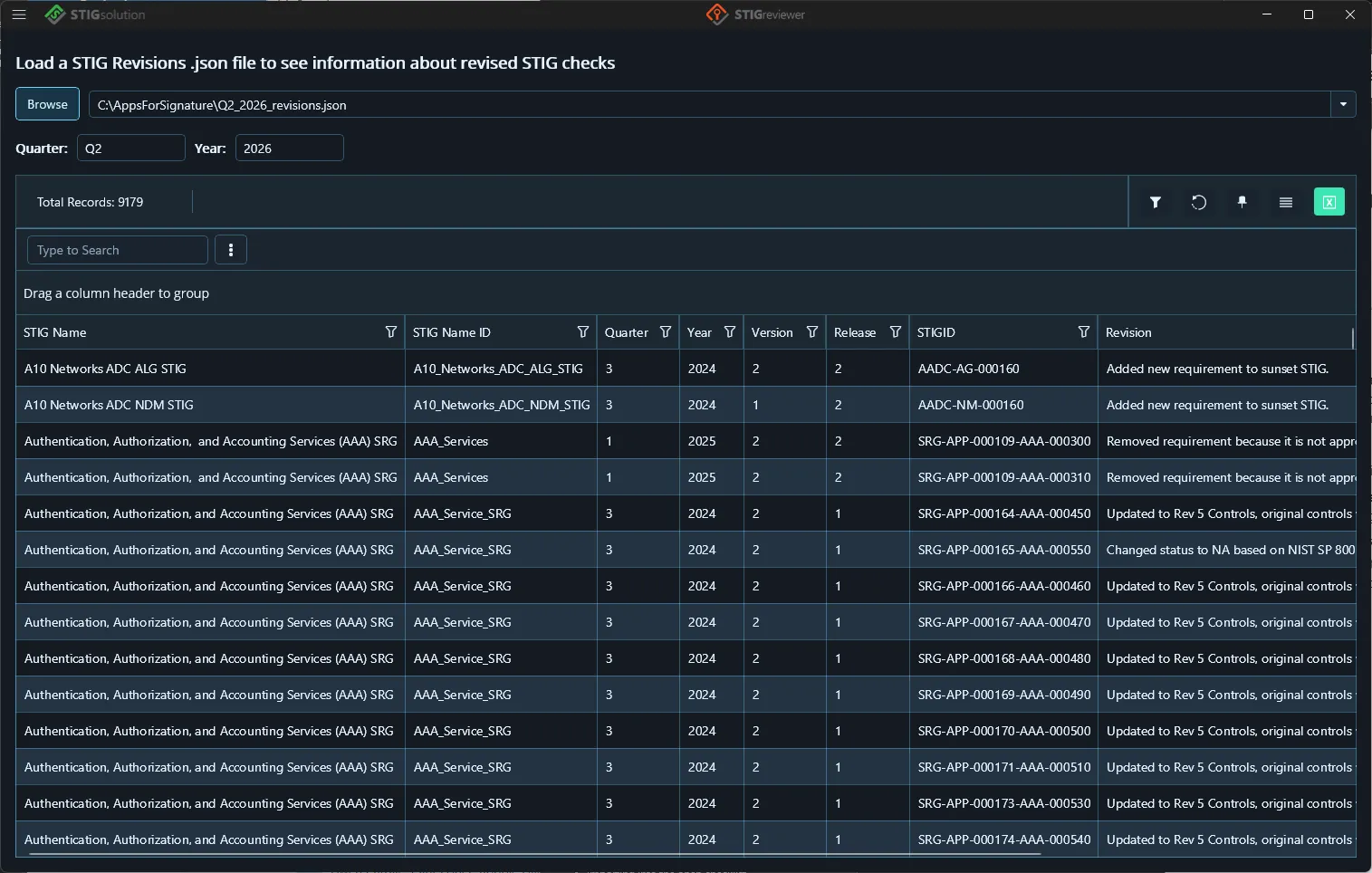
To load a revisions file:
-
Click Browse and pick the JSON file, or choose a recent file from the drop-down. You can also drag and drop the .json file onto the page.
-
The Quarter and Year of the loaded file appear above the grid.
-
If the application detects there might be a newer revisions file available, an amber warning button appears next to Year. Click it to visit stigsolution.com for the latest release.
The right side of the page now has a Revision Details drawer. Select a row in the grid and the drawer shows the full read-only detail for that revision, with a splitter you can drag to resize the drawer and a close button in the drawer header.