Setting up your workspace
Before you start reviewing checklists, it is worth spending a few minutes setting up the supporting data that STIGreviewer uses. These are one-time setup steps: once you have done them, the application remembers your choices.
Step 1 — Build your STIG Library
Section titled “Step 1 — Build your STIG Library”The STIG Library is your local collection of DISA STIG XML files. STIGreviewer uses it to create new checklists, to update existing checklists when a STIG is revised, and to detect when one of your loaded checklists is built on an outdated version of a STIG.
-
Open the STIG Library page from the flyout.
-
Click Add STIGs (XML\ZIP) and select one or more DISA STIG XML files or ZIP archives containing them. You can also drag and drop them onto the page.
-
Each STIG you load appears in the grid with its STIG ID, title, version, release, and release date.
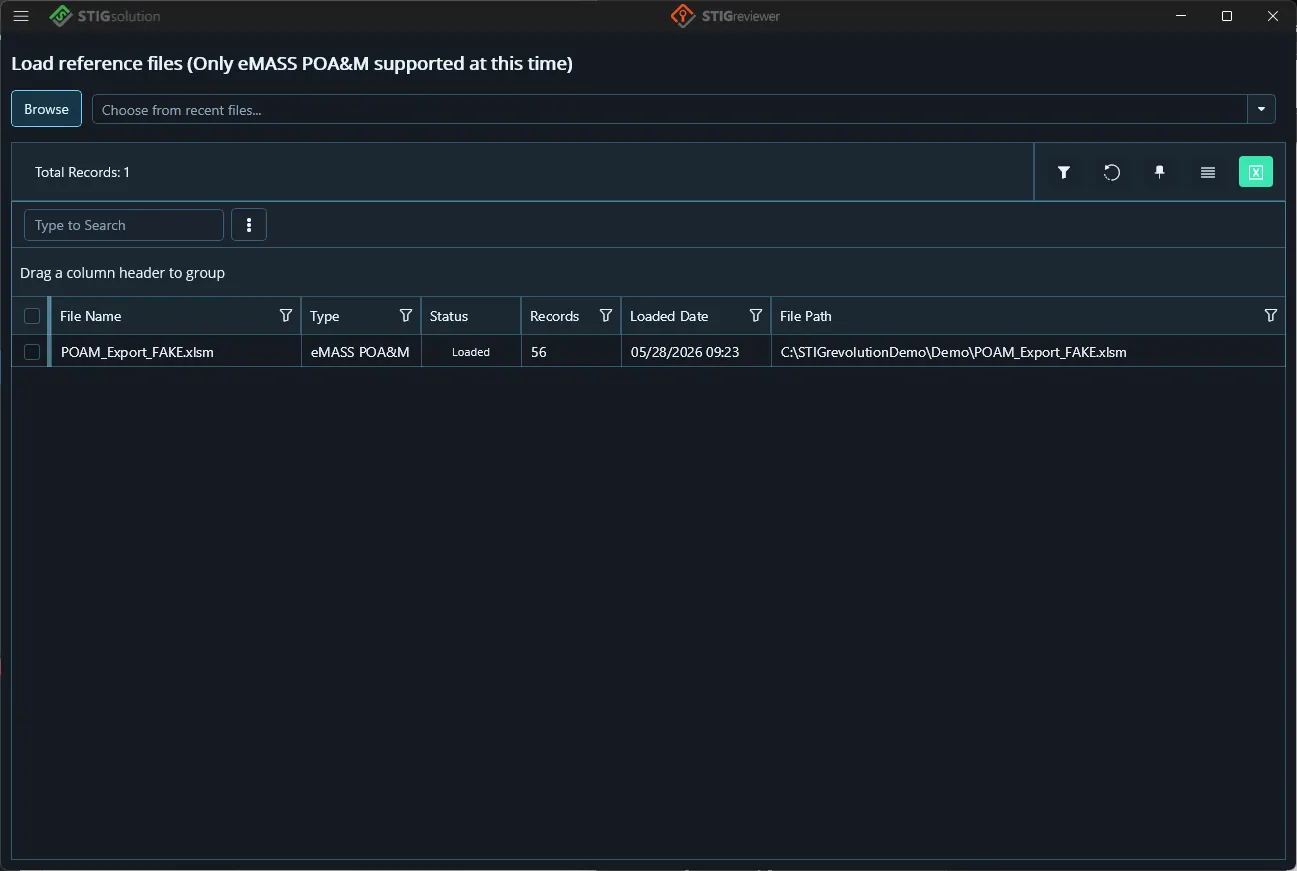
| | | NOTE | | | | At this time the Reference Files page supports the eMASS POA&M only. | | Other reference data (such as TR Export) may be added in the future. |
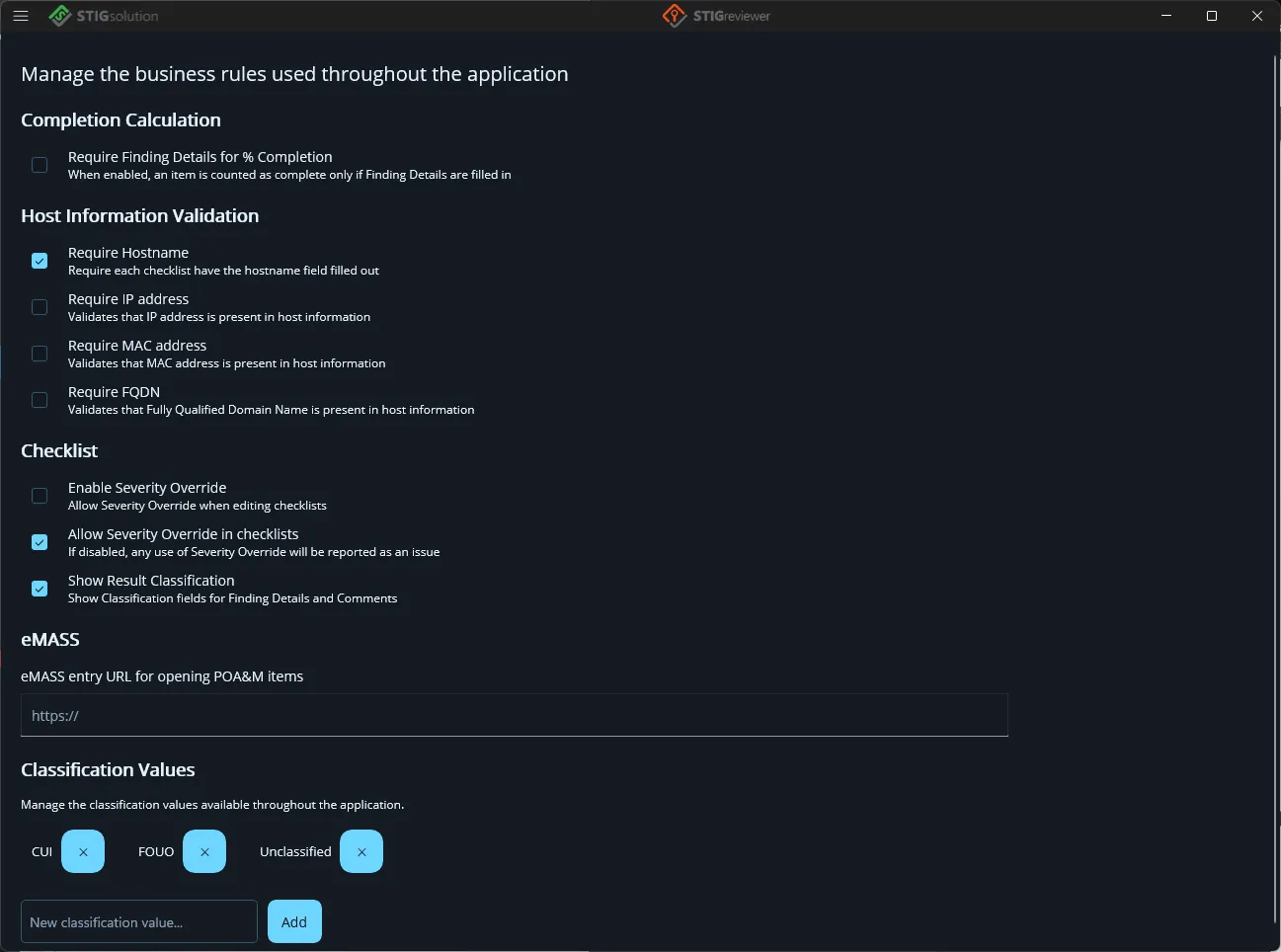
Step 4 — Review the Business Rules
Section titled “Step 4 — Review the Business Rules”The Business Rules page controls how strict STIGreviewer is when checking your data, and a few other shared settings. Open it from the flyout and review each card. All changes are saved automatically. Each rule is described in detail in chapter 15.